


To Create a description key
 Command line: __aec_create_desckey
You can create a new description key by selecting Create from the context menu of any description key set in the Drawing Settings Drawing Settings section of the Drawing Explorer.
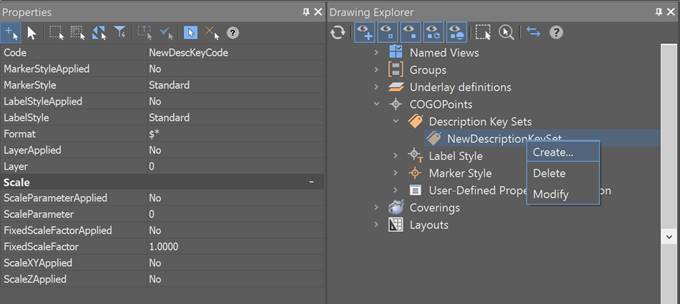
Options:
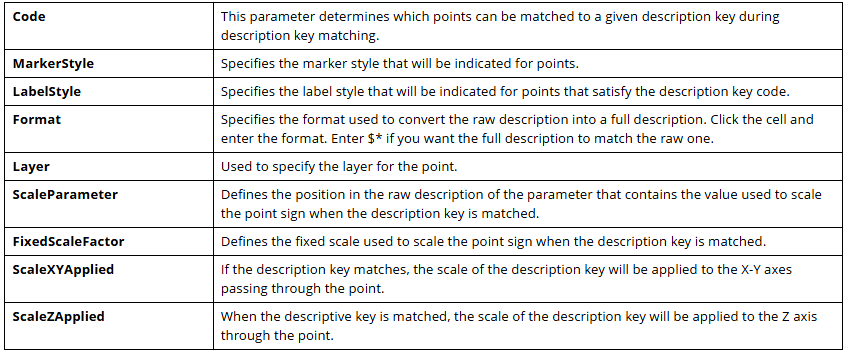
Code of a Description Key
The Code property is used to define the raw descriptions that match the description key.
A description key consists of a code and a set of additional properties. If the code matches the raw description, the created point is characterized by other properties specified in the description key.
Below there are examples of description key codes:
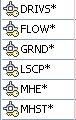
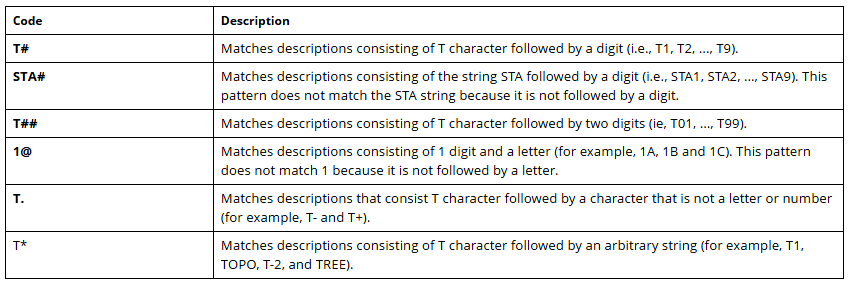
You can specify a simple string as the description key code, or you can use wildcard characters, such as an asterisk (), to expand the search options for matching the description key. When trying to create a second key with the code (), a message appears asking you to enter a different value.
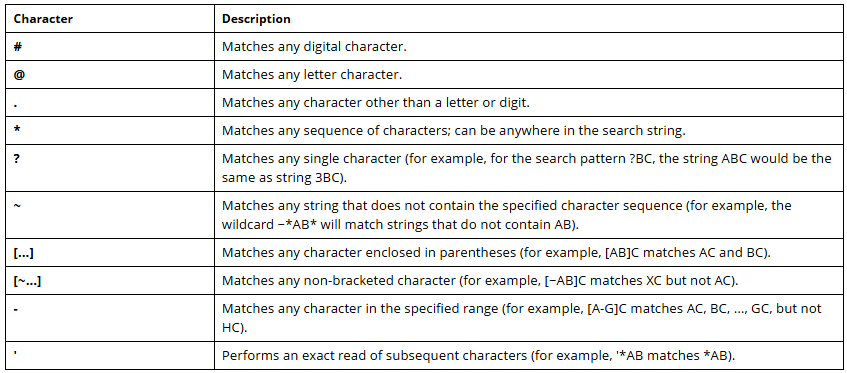
Below there is a table of wildcard characters used in description key codes:
Below there is a table with examples of description key codes containing the most commonly used wildcard characters:
Feedback

Post your comment on this topic.