


Intelligent controls grips
Intelligent grips are intended for editing the properties of design elements inserted into the drawing without calling the editing dialog.
Intelligent grips are included in the settings nanoCAD Construction : Main options – Edit – Enable enchanced grips.
Descriptions of grip actions are found in the description of the corresponding design elements.
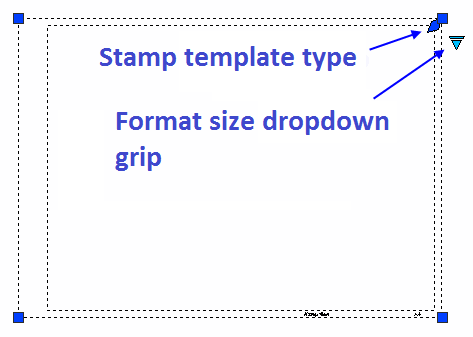
The appearance of the grip corresponds to its action (frequently used ones are shown):
Node move grip;
Graphics move grip;
Grip for adding a new node;
Grip for adding additional graphics;
Direction grip;
Tilt grip;
Text alignment grip;
Grip for selecting a value from a drop-down list.
Feedback
Copyright © 2026 CSoft AS
—
Powered by 
Post your comment on this topic.