


Correction Mark
 Main menu: Construction – Symbols –
  Correction mark.
Ribbon: Construction – Symbols – Correction mark.
Toolbar: Correction mark ( “Construction”).
 Command line: SPCORRMRK.
Select leader position.
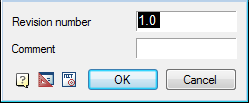
Select marker location or properties and call the context menu command “P-properties.”
In the dialog box change the marker type in the text. Click OK.
Feedback
Copyright © 2026 CSoft AS
—
Powered by 
Post your comment on this topic.