


Calculating volumes between models
 Ribbon: Topoplan – Texturing and Calculations>
  Volume between Models
Menu: Ground – Calculations >  Volume between Models
Toolbar: Textures and Calculations> Volume between Models
 Command line: NG_VOLUMES
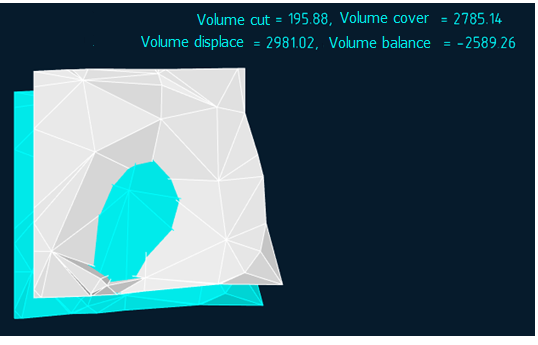
The command allows you to calculate the volume of surfaces: Total, Differenced and Balance. Such calculations are often performed to determine the amount of excavation works.
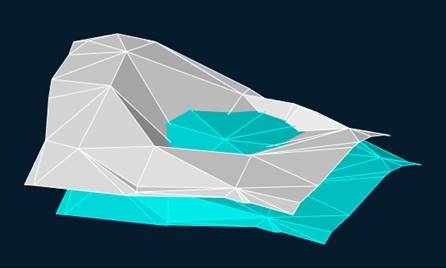
After running the command, first specify the surface created by design data, and then the actual surface (mesh or polyface mesh).
The command options are specified on the Properties toolbar.
Options:
| Type of calculation |
|
|---|---|
| Create models |
|
| Create Mtext label in drawing |
|
For all types of calculations, you can customize colors of created models, if Yes is set for the Create models parameter.
Command prompts:
Apply changes or [Yes/No]:
- Yes – the volume will be calculated with the current settings.
- No – if the settings have been changed, they are not saved. The volume will be calculated with the settings, that were displayed immediately after running the command.
![]()
Info: NanoCAD is a user friendly, low cost, and yet professional, CAD software tool for Windows, that allows an outstanding user experience by providing top-level performance, full capability, a classic interface and native.dwg format support. nanoCAD has been built to deliver design and project documentation for all industrial purposes. nanoCAD includes a full suite of basic and advanced CAD tools for 2D/3D drawing and creating industry-standard DWG-compatible CAD files. Our tool provides creative, collaborative and customizable features to raise your efficiency, and includes several API’s, allowing anything from routine task automation to complex CAD application development. You may try nanoCad for free, using the links below, and buy later, if you like it.
Feedback

Post your comment on this topic.