


Saving a Document or Its Part Using the WBLOCK Command
 Command line: WBLOCK, W, ACADWBLOCKDIALOG
The WBLOCK command is started from the command line and allows saving of an entire document and also part of a drawing using the Write Block dialog:
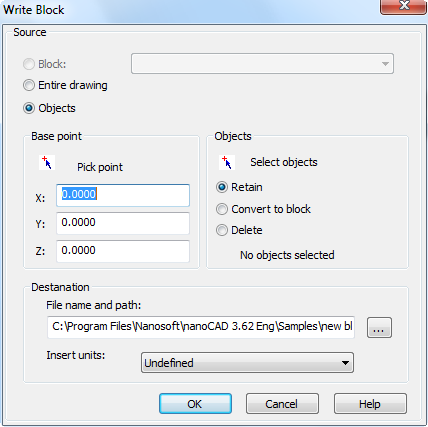
The Write Block dialog box complements and extends the capabilities of the Save and Save As commands, allowing the saving of an entire document ( Entire drawing parameter) and also part of a drawing ( Block and Objects parameters).
Feedback
Copyright © 2026 CSoft AS
—
Powered by 
Post your comment on this topic.