


Extend wall
 Main menu: Construction – Architecture -Wall Edit >
  Extend.
Ribbon: Construction – Architecture > Extend.
Toolbar: Architecture > Extend.
 Command line: SPWALLEXTEND.
Wall extends to the nearest intersection.
The first step in the implementation of both teams are selected object.
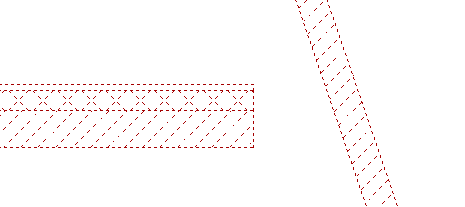
Then you must specify the object you want to extend. The facility will be completed before crossing.
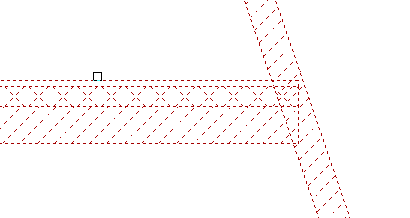
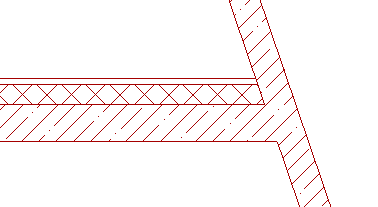
If, after calling the command instead of selecting objects press space bar on the keyboard, then, were selected for the second stage of the command wall, will be extended to the nearest intersection.
Feedback
Copyright © 2026 CSoft AS
—
Powered by 
Post your comment on this topic.