


Problem Report
 nanoCAD button: Utilities –
  Problem Report
Ribbon: Output – Export – Problem Report
Menu: *File – Drawing Utilities – Problem Report*…
 Command line: ReportProblem
The command is designed to collect data when errors occur in operation, including those that cause the program to crash. The command creates a folder with the time and forms a package of files for transmission in it. In the Files to send dialog box, you can add or delete files to be sent. The report can be saved in a ZIP archive format or sent by email in EML format.
ATTENTION! The command is launched automatically when critical errors occur.
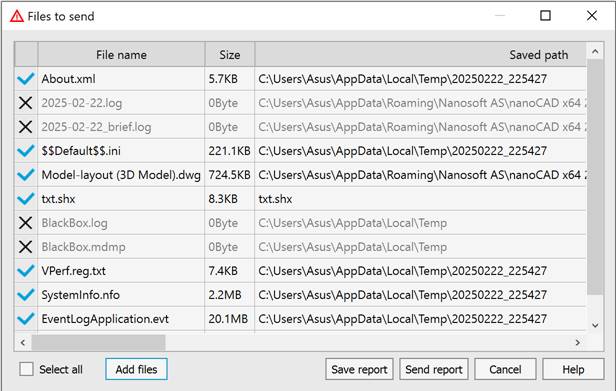
The standard list of files added to the report:
· About.xml – information about the product version and license;
· Date.log – full command line log;
· Date_brief.log – brief command line log;
· BlackBox.log – program crash log;
· BlackBox.mdmp – program crash log;
· Et_crash.log – program crash log;
· VPerf.reg.txt – information about the graphics system;
· SystemInfo.nfo – information on Windows system;
· EventLogApplication.evt – Windows application event report;
· EventLogSystem.evt – Windows system event report;
· as well as the drawing file and its accompanying files.
Parameters
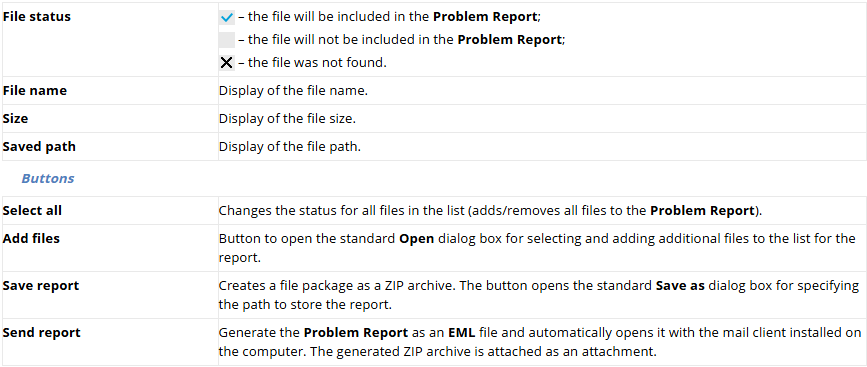
To create a problem report:
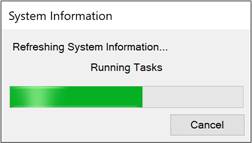
1. Run the ReportProblem command and wait until the program prepares a list of files for generating the report.
2. In the Files to send dialog box, uncheck the files that you do not want to send.
3. Use the Add files button to add files to the list for analysis.
4. Click the Save report button to generate a ZIP archive or the Send report button to send the report via Email.
Feedback

Post your comment on this topic.