


Node
 Main menu: Construction – Symbols –
  Node.
Node.
Ribbon: Construction – Symbols – Node.
Toolbar: Node ( “Symbols”).
 Command line: SPNODE.
Select location or type an index “properties”.
In the dialog box that describes the node type the text. Click OK.
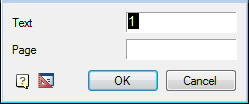
Insert the desired number of drawing markers. Subsequent node number is automatically incremented from the previous one.
Feedback
Copyright © 2026 CSoft AS
—
Powered by 
Post your comment on this topic.