


Comparing Dimension Styles
The dialog for comparing two dimension styles or viewing a list of all style properties is invoked by the “Compare…” button in the “Dimension Style Manager” dialog.
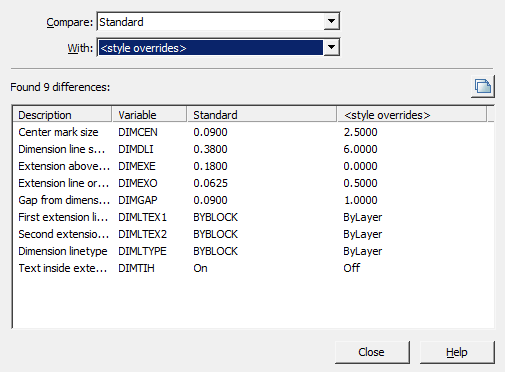
“Compare:” field – selects the first dimension style to compare.
“With:” field – selects the second dimension style for comparison.
“Difference table” – the table contains data on non-matching properties.
Table columns:
- Description – parameter name.
- Variable – parameter system name.
- Variable value columns – parameter values in compared styles.
Button “Copy to clipboard” – allows you to copy comparison results to the clipboard.
Feedback
Copyright © 2026 CSoft AS
—
Powered by 
Post your comment on this topic.