


Audit geometry
 nanoCAD button – Utilities >
  Audit Geometry
Manu: File– Drawing Utilities>  Audit Geometry
Context menu of document tab: Drawing Utilities> Audit Geometry
 Command line: AUDITGEOMETRY
The command is intended to identify and fix problematic drawing objects located outside the range 1е+20 along Z axis.
The command ensures correction of Z-coordinates for objects located on frozen, locked and disabled layers.
The first opening of a file is accompanied by an automatic check of objects geometry. When geometry errors are found, a dialogue is displayed with a message and a choice of action.
Fix –  immediately run the Audit Geometry command to fix errors.
Cancel – open the file without correcting errors.
If errors are not fixed, when files are opened again (after re-saving), the geometry audit is started by the command manually.
NOTE: Hatch audit is not performed in an automatic mode. To find and fix problematic hatches, it is necessary to run the audit manually.
Audit modes:
Audit Z_coordinates Auditing Z-coordinates of all objects in a drawing.
Audit_Hatches Auditing the correct display of hatches within the boundaries of contours.
Audit Z coordinates
Audit options:
Yes(fix_errors) Fix the errors found.
Yes(fix_and_log_errors) Fix errors and generate report on found and fixed errors.
No Do not fix errors.
No(only_log_errors) Create a report on detected errors without fixing them.
Detected and fixed errors are reported in the Geometry audit log dialogue
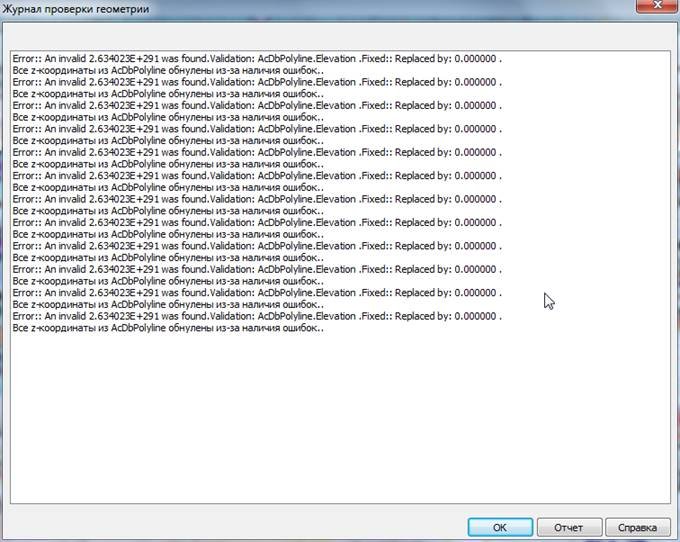
By clicking the Log dialogue button, you can save the log information to a separate file. By default, the Log file is saved in a drawing folder and assigned with the drawing file name with *.log extension.
When saving reports of consecutive audits of Z coordinates and hatches for one drawing, 2 log files will be created:
- first – File name.log;
- second with adding the index – File name_1.log.
Command prompts:
Select audit type [audit_Z_coordinates/Audit_hatches] Select Audit_Z_coordinates mode.
Do you want to fix errors? Select the required audit option.
[Yes(fix_errors)/Yes(fix_and_log_erros)/No/No(only_log_erros)]
Audit Hatches
Select audit type [audit_Z_coordinates/audit_Hatches/] Select Audit_hatches mode.
Audit logs are displayed in the command line.
Info: NanoCAD is a simple, inexpensive, and yet powerful, CAD software tool for Windows, that allows a great user experience by providing top-level performance, full capability, a classic interface and native.dwg format support. nanoCAD has been built to deliver design and project documentation for all engineering purposes. nanoCAD includes a full suite of basic and advanced CAD tools for 2D/3D design and creating industry-standard DWG-compatible CAD files. Our freeware ensures creative, collaborative and customizable features to improve your efficiency, and includes a number of API’s, allowing anything from routine task automation to complex CAD application development. You may try nanoCad for free, using the links below, and buy later, if you like it.
Feedback

Post your comment on this topic.