


Make Corner
 Main menu: Construction – Architecture -Wall Edit >
 Make Corner.
Ribbon: Construction – Architecture > Make Corner.
Toolbar: Architecture > Make Corner.
 Command line: SPWALLCORNER.
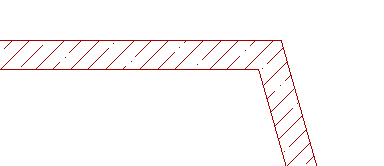
Command allows you to create the angle between the walls.
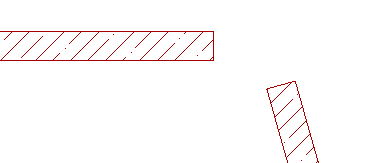
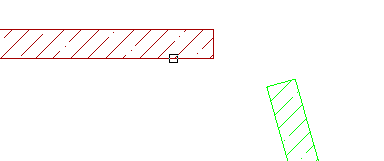
Both walls are selected alternately, the angle between them to be formed. selection order does not matter.
Feedback
Copyright © 2026 CSoft AS
—
Powered by 
Post your comment on this topic.