


The Parameters
Section Parameters contains three subsections:
- public,
- protected,
- tabular.
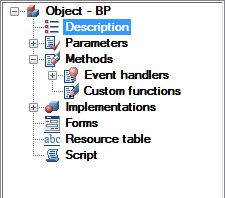
The public section Upcoming shows a table of open (public) parameters along with their comments.
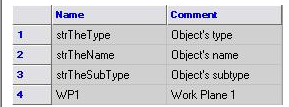
.
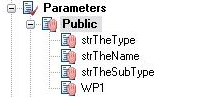
Furthermore, the parameters are displayed in a tree branch.
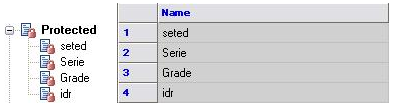
Section Protected contains a list of protected (protected) parameters, which are also displayed in a table and drop-down list of branches in the tree object.
Section Table includes a list of tables detail
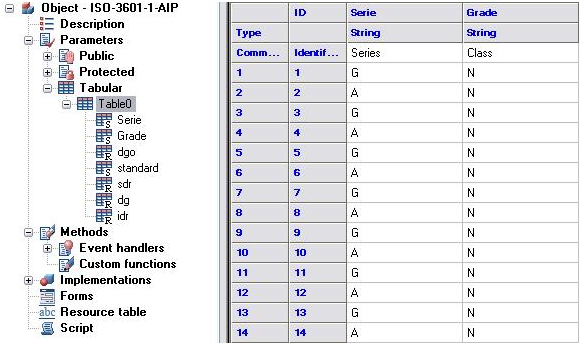
Table and column of the table in the current workspace synchronized depending on the position of the cursor in the object tree. Tables in the object may be a few, while the identification is made on behalf of the table. Popup menu when the cursor position on the table includes the following tools:
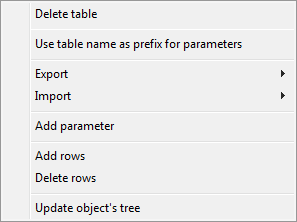
When you select table name as a prefix to the parameters of an appeal to the names of variables are prefixed with the table name. For example,Table0.dr.
You can add / delete rows from a table and add a parameter to a table.
There is also exported to Excel, text format and import from them.
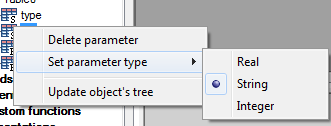
Whenever the context menu on a separate parameter tables are available options remove a single parameter and set the type (Valid (Real), String (String) or a (Integer).
To rename a table parameter, select it and click on his name left mouse button, or press F2. If the parameter name has changed, it will automatically run search and replace in the script to a new name parameter correctly processed by the script.
Feedback

Post your comment on this topic.