


Group dimensioning
Ribbon: Home, Annotate – Dimensions >  Group Dimension
Menu: Dimensions –  Group dimension
Toolbar: Utilities –
Command line: QDIM, DIMGROUP
The Group dimension command is particularly useful for creating a series of vertical or horizontal dimensions.
To specify the group dimensions:
- Start the Auto command.
- Select the Grouped option in the command line or context menu.
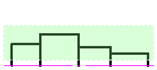
- Select the objects you want to dimension:
![]()
- Press ENTER to end the selection of objects:
![]()
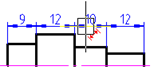
Depending on the direction of the cursor movement (vertical or horizontal), the chain of vertical or horizontal dimensions will be dynamically displayed. - Move the cursor to change the character from red to blue
![]() :
:
![]()
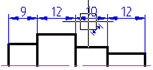
- Left click to specify the location of the dimension lines:
![]()
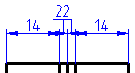
When dimensioning the objects that have a small length
![]()
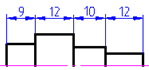
The crossed arrows are automatically replaced by notches or points:
![]()
![]()
![]()
![]()
![]()
![]()
![]()
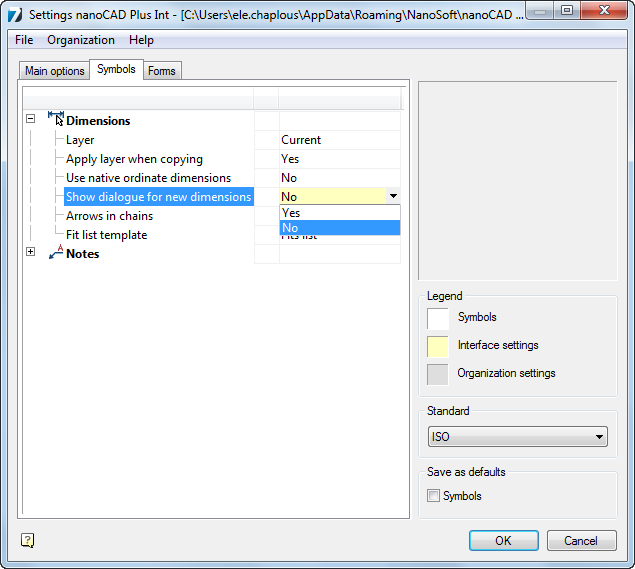
The setting for replacement of intersecting arrows is performed in the nanoCAD – Options dialog box (The Tools menu – Settings Parameters):
![]()
 :
:


Info: NanoCAD is a user friendly, low cost, and yet professional, CAD platform for Windows, that allows a great user experience by providing high performance, full capability, a classic interface and native.dwg format support. nanoCAD has been built to deliver design and project documentation for all industries. nanoCAD includes a full suite of basic and advanced CAD tools for 2D/3D design and creating industry-standard DWG-compatible CAD files. Our freeware ensures groundbreaking, collaborative and customizable features to improve your efficiency, and includes a few API’s, allowing anything from routine task automation to complex CAD app development. You may download nanoCad for free, using the links below, and purchase later, if you like it.
Feedback

Post your comment on this topic.