


Split the table by pages
The “Split the table by pages” tool is similar to the  “Division by page” editor tool, but the result is not a split single table, but several separate tables.
Procedure
1. Open the table for editing.
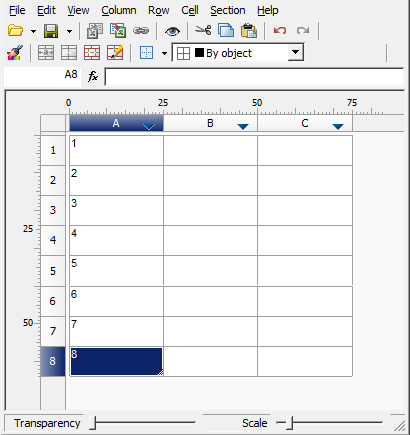
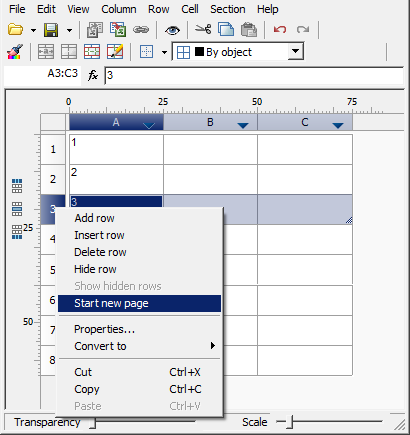
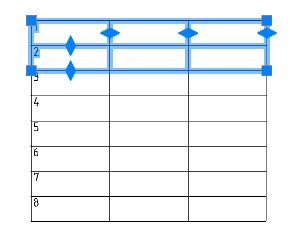
2. In the places where the break will be, set the break with the command “Start new page”.
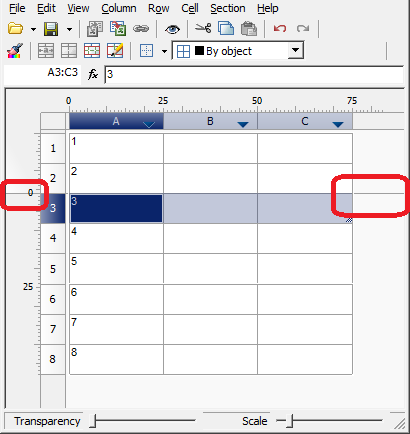
3. Close the editor.
4. Select a table.
5. From the context menu, select the “Split table by pages” command.
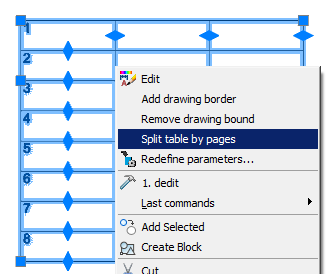
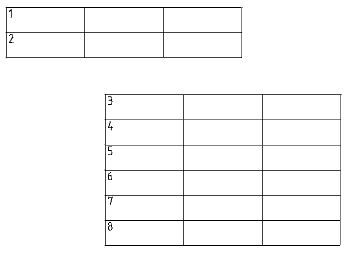
6. The table will be split into separate tables. The separation will occur at the places of the established breaks.
Note:
If the command is applied to a report, the following destructive actions are performed:
1. The report is converted into static tables.
2. All connections with objects are broken.
3. All formulas are removed, and the cells begin to display the previously formed text.
4. Rows with report titles are hidden so that the display of the table in the drawing is not changed.
Feedback

Post your comment on this topic.