


Parameters Redefinitions
 Main menu: Construction – Edit >
  Parameters redefinition.
Ribbon: Construction – Utilities > Parameters redefinition.
Toolbar: Edit – Parameters redefinition.
 Command line: SPPR, PR.
The basic rules
This command is used to define the variations of the nanoCAD Construction design objects settings in the current drawing. The redefinition is controlled by the parameters set in the setting of design elements.
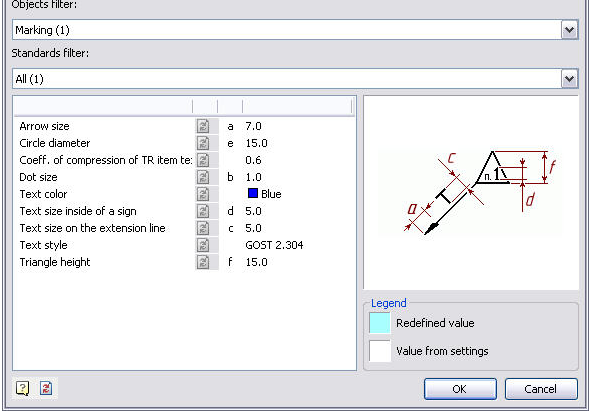
The objects are grouped by types in the dialog. The objects parameters are grouped by name.
To set the parameters or Redefinition removal filter lists are:
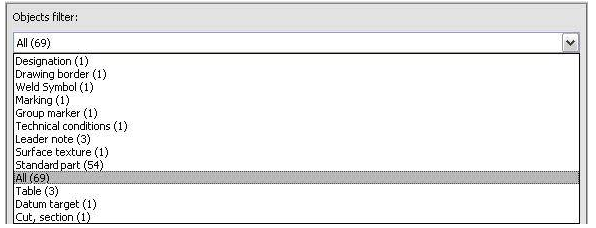
If any type is selected in the parameters table , the parameters list concerning the given type is displayed.
The standard filter list allows specifying different settings for single objects created by a different design standard.

If you select “All” standards – the changes will be applied to all objects if you select only one of the standards (eg GOST), the changes will only be used for objects belonging to the chosen standard.
Command Options
If an object type is selected, its properties will be displayed in the parameters table.
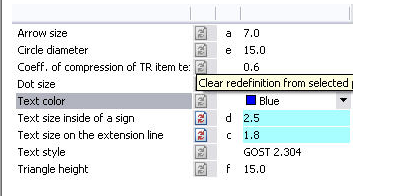
Redefined parameters are shown in blue. To remove the overriding need to press the opposite setting.
In addition, you can manually specify a new value for the selected parameter. If the new value is the same default, the blue light will not be displayed. If the selected object group only some entries have the override, the backlight will override the diagonal.

To remove the override all objects need to click on the bottom left of the dialog.
Action sequence
To change the settings of one or more design elements, you must:
- Select objects
Next, in the dialog box to specify the new settings data display objects. Changes apply only to the selected objects.
Change the parameters of objects can also be by a separate command Parameters redefinitions.
Checking the settings of design elements
To verify the design elements specify the settings, you must run the Parameters redefinition. It is proposed to select the objects that will be exposed to the command.
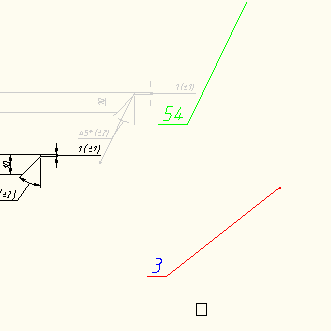
When you press the Enter will select all elements of design Construction Site 4. When you press the Enter will select all elements of design Construction Site 4 . Next, press the button Clear redefinition from all parameters

The result is a document issued in accordance with the settings specified in the enterprise (in terms of elements nanoCAD Construction ).
Feedback

Post your comment on this topic.