


Option 2. Making projections in model space
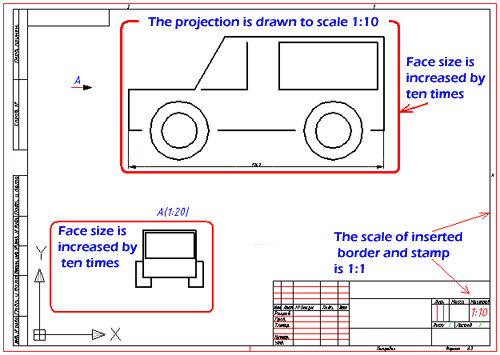
Example of drawing. Frame in a 1:1 projection in a given scale.
Insert
The frame and title block are inserted at a scale of 1:1 in the model space.
The main views, drawn at a scale of 1:1 in the model space, are scaled when placed on the frame with the title block.
Additional views, sections, and cross-sections are scaled when placed on the frame with the main inscription.
Features design drawings
The size of the dimension arrows, the height of the dimension text and other text designations for all types are set at a scale of 1:1. When setting dimensions, it is necessary to take into account only the scale factor of the type on which they are applied.
Especially when printing
Under this option, registration in model space frame with projections printed at a scale of 1:1. This variant of design drawings in model space adopted in Construction Site.
Feedback

Post your comment on this topic.