


Arrays for arc trajectory
Tab Arc enter the governing parameters.
Follow The selection object (object selection).
Select Center array.
Follow Preview .
Click OK to complete the command.
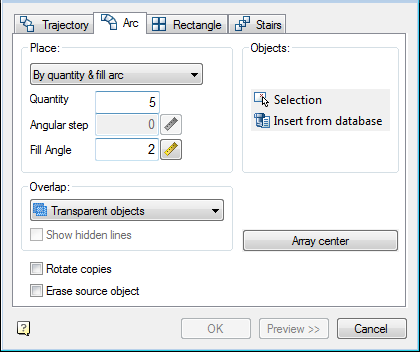
At the top of the window is a control group accommodation, which lets you choose placing of replicated objects:
- By number and step;
- By number and angle;
- By step and corner;
In the input field Number specify the number of replicated objects.
In the entry field Step Angle enter the angle between the replicable elements.
In the input field angle specify the angle required.
Button  with Mark drawing step allows you to select the corner or angle with the drawing.
In the drop-down list make a choice of Overlap:
- Transparent objects;
- Next under preceding;
- Next over preceding;
- Interleave.
Switch Show hidden line controls the display of hidden lines in the drawing. If the switch is on the hidden lines are displayed in the drawing.
Button  Selection to select the replication object in the drawing.
Button  insert from database used for selecting a center point which the objects will be replicated.
Button array center used for selecting a center point which the objects will be replicated.
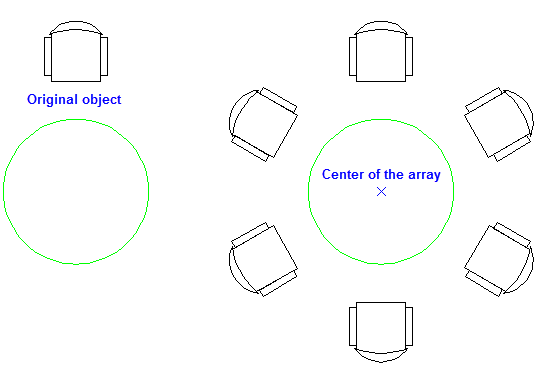
Switch Rotate copies controls the orientation of the copied object. If the switch is on the turn when copying objects are shown in the figure.
Feedback

Post your comment on this topic.