


The Import of KML/KMZ files
Import of KML/KMZ files
 Ribbon: Topoplan – Import/Export >
  KML/KMZ import
Menu: Topoplan – Import/Export > KML/KMZ import
Toolbar: Import/Export > KML/KMZ import
 Command line: NG_KMLIMPORT
The command imports from KML/KMZ (Keyhole Markup Language) format with a possibility to recalculate data from/to various topographic and geodetic coordinate systems using EPGS codes.
To import KML/KMZ:
1. Run the command.
2. In the file selection dialog that opens, select a file to import.
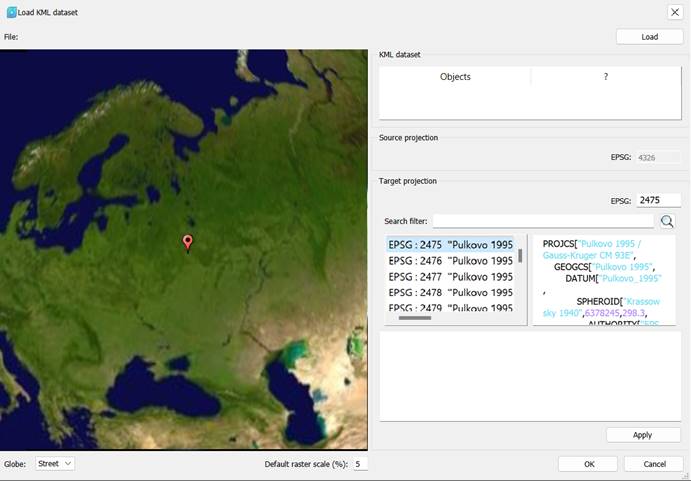
3. The EPSG Transformations dialog box appears.
4. In the right part of the dialog box, mark the objects to be imported from the file.
5. In the EPSG text fields, enter the number of the source and target coordinate systems according to the EPSG classification, focusing on the list provided. Click Apply.
6. Information on the selected target geocoordinate system will appear in the Transformation info section. To confirm the transformation, click ОK.
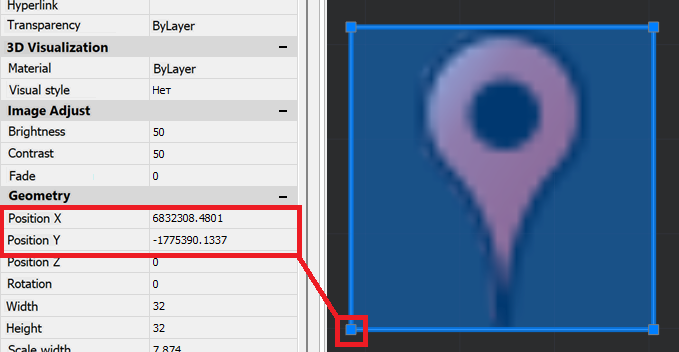
Labels without image will be imported as points. The point will be displayed with an icon (raster). A point is added to the bottom left corner of the icon.
Feedback

Post your comment on this topic.