


Group dimension
 Main menu: Dimensions >
  Group dimension.
Ribbon: Annotate – Dimensions > Group dimension.
Ribbon: – Symbols > Group dimension.
Toolbar: Dimensions > Group dimension.
Context menu: Grouped – when calling any dimension.
 Command line: SPDIMGROUP, DIMGROUP.
Procedure
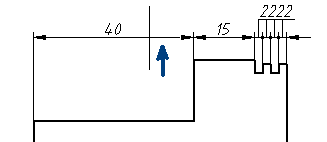
1. Call the command;
2. Select all the objects that will participate in creating the group dimension. To complete the selection press the “Enter” key;
3. Specify the location of the chain of dimensions.
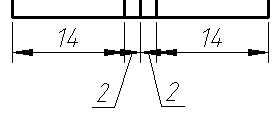
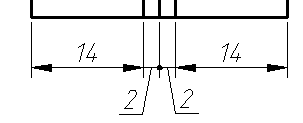
If the setting “Arrows in chains” is set to “Point”, then when dimensioning a chain of small numerical dimensions, intersecting arrows are automatically replaced by dots.
Feedback
Copyright © 2026 CSoft AS
—
Powered by 
Post your comment on this topic.