


Association of Standards with a Document
 Ribbon: Manage – CAD Standards >
  Configure Standards
Menu: Tools – CAD Standards >  Configure…
Status bar: context menu of the button  Check standards > Configure standards…
 Command line: STANDARDS
NOTE: The Standards audit button is displayed in the status bar only if at least one standard file was associated with a drawing.
To be able to check the document for the relevant standards, associate the standards file with the document.
When trying to check standards of a document not associated with a single standards file, an alert will appear:
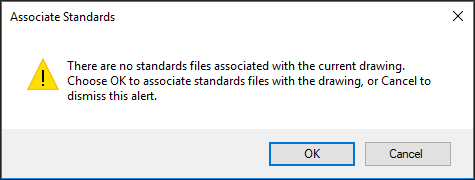
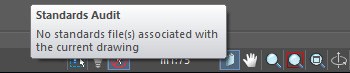
Standards are associated with a document in the Configure standards dialog box. You can open it from the ribbon, from the menu or directly by reference in pop-up message.
Standards tab
On this tab you can associate standards files with a document and set the sequence of checking files.
The left part of the box displays the associated standards files, the right one gives a brief description.

 Associate a new standards file. One standards file can be associated with several drawing files.
 Disable the selected standards file.

 When checking a drawing, there may be conflicts between norms in different standards files, if different values are set in several standards files for one and the same parameter, for example, color of the particular layer. In such cases the higher priority is for the standards file, which is located higher in the list. If necessary, the standards file order can be changed by buttons to change the parameters’ priority.
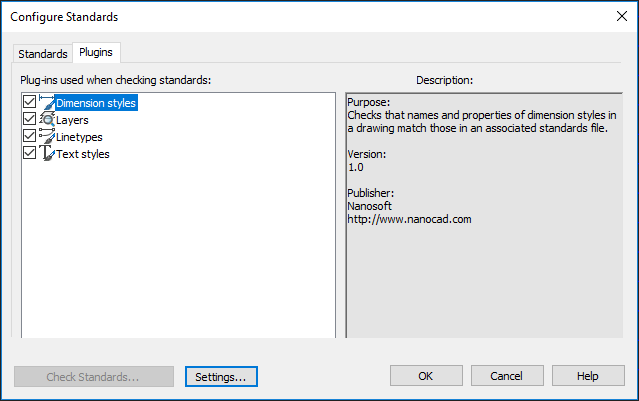
Configure tab
On this tab you can disable the existing checkers that are not required at the moment. For example, if you know that changes you make to a drawing concern only the text, to save time you can limit it to checking a drawing with the layer plug-ins and text styles plug-in, and disable the rest. By default, all plug-ins are used to check drawings for standards violations.
Options
Check… Checks a document for standards violations.
Settings… Opens the Check settings dialog box.
OK Saves changes and closes the dialog box.
Cancel Closes the dialog box without saving changes.
Info: NanoCAD is an easy-to-use, inexpensive, and yet powerful, CAD program for personal computer, that delivers an outstanding user experience by providing high performance, full capability, a classic interface and native.dwg format support. nanoCAD has been built to deliver design and project documentation for all industries. nanoCAD includes a full suite of basic and advanced CAD tools for 2D/3D drafting and creating industry-standard DWG-compatible CAD files. Our freeware ensures creative, collaborative and customizable features to boost your efficiency, and includes several API’s, allowing anything from routine task automation to complex CAD application development. You may try nanoCad for free, using the links below, and purchase later, in case you like it.
Feedback

Post your comment on this topic.