


The Paper space commands
When designing drawing projections in paper space, the context menu is available nanoCAD Construction . To call the menu, place the cursor in the area of the floating viewport and press right-click.
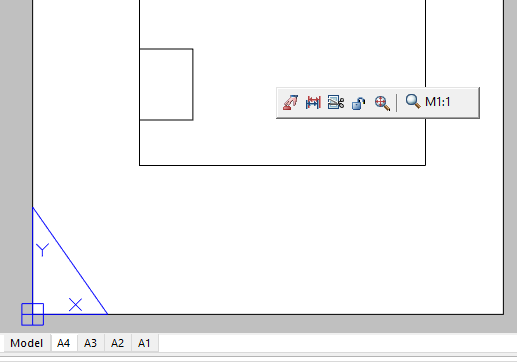
- Activate viewport – command activates viewport for editing.
- Refresh dimensions – command updates the dimensions in the viewport.
- Cut viewport – command allows you to change the shape of the viewport.
- Lock viewport – command fixes scales (including zoom commands) of viewport.
- Zoom all – command inserts all the graphics from the model space into the viewport.
 Scale – the drop-down list allows you to select the viewport scale.
Feedback
Copyright © 2026 CSoft AS
—
Powered by 
Post your comment on this topic.