


Create trace
 Main menu: Construction – Communications >
  Create trace.
Toolbar: Communications > Create trace.
 Command line: SPCREATETRACE.
This command creates a new template trace and places it in Template library.
To create
1. Select command
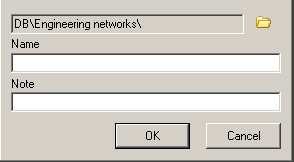
2. A form will appear “Create element”, in which said storage elements in the base template, name, note and confirm the entered parameters.
3. Next, open the edit form, this form Template library. The process of editing the template “Trace” is described in detail in the section Template library.
Feedback
Copyright © 2026 CSoft AS
—
Powered by 
Post your comment on this topic.