


The new 19
 nanoCAD button –
  New –
New –  Choose Template
Menu: File – Create with the Template – Choose Template…
 Command line: TEMPLATESDIA
The command opens the Choose Template dialog box with a list of template files.
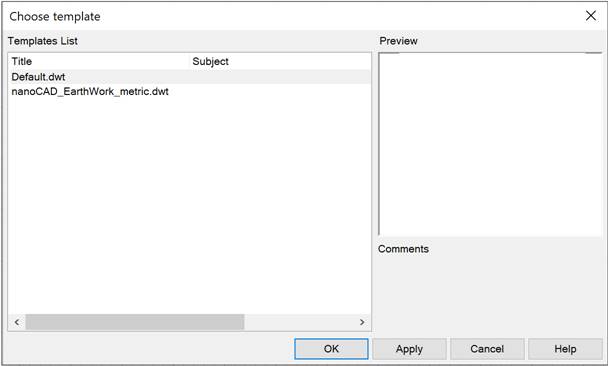
The right side of the box displays a preview window and a brief description of the selected template specified in the command line.
The list of templates is managed in the Template Usage section of the Options (OPTIONS) dialog.
You can also Add or Delete a template by selecting the appropriate command in the context menu:
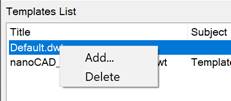
The order of templates can be changed by simply dragging and dropping.
Feedback
Copyright © 2026 CSoft AS
—
Powered by 
Post your comment on this topic.