


Filling in the fields of the title block
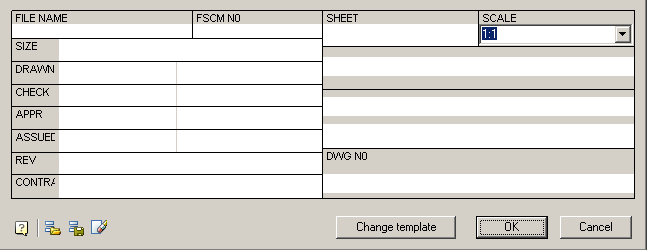
To fill the title block fields and additional graph, double-click on any line of the title block.
The main inscription is filled directly into the dialog box, “Stamp”
While filling in the title block previously entered information stored in the section “History” menu. To open the context menu, place the cursor in an editable field and click the right mouse button.
Recent values can be saved in the section “Recent” menu.
Automatically fill fields of the title block
 Save as default
The command saves the current filling of the stamp in the memory. In the following fields will be filled automatically stamp
 Load defaults
The command loads the stored filling.
 Clear
Clear
The team clears stamp field

The command opens a drop-down menu to change the pattern of the stamp.
Feedback
Copyright © 2026 CSoft AS
—
Powered by 
Post your comment on this topic.