


Edit Marker Style of Geopoints
Editing marker styles is started by a double clicking the desired marker style of a geopoint in the Drawing Explorer. The options are set in the Properties bar.
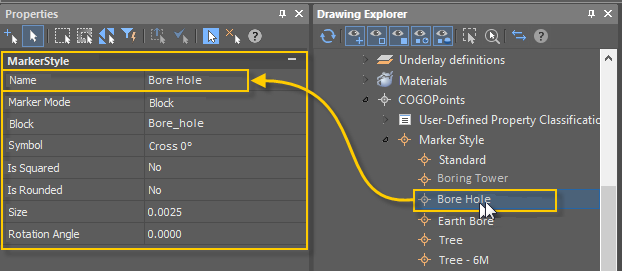
Command prompts:
| Change parameters in ‘Properties’ window and choose ‘OK’ to save changes or ‘Cancel’ to discard any changes <ОK> or [OK/Cancel]: | Yes – all changes to marker style properties made in the Properties bar will take effect. Cancel – all changes to marker style properties made in the Properties bar during this session of the command work will be cancelled. |
|---|
Feedback
Copyright © 2026 CSoft AS
—
Powered by 
Post your comment on this topic.