


Modify The Description Key
 Command line: __ aec_modify_desckey
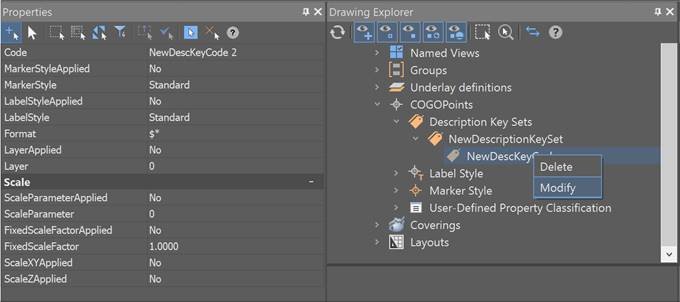
You can view and modify the description key settings by selecting Modify in the context menu of the section Drawing Settings – COGOPoints – Name of the Description Key in the Drawing Explorer. Next, in the Properties bar, you can view or modify the settings.
Feedback
Copyright © 2026 CSoft AS
—
Powered by 
Post your comment on this topic.