


Align level marks by baselines
 Main menu: Construction – Level marks >
  Align level marks by baselines.
Ribbon: Construction – Symbols > Align level marks by baselines.
Toolbar: Level marks > Align level marks by baselines.
 Command line: SPLVBASE.
Procedure
1. Call the command “Align level marks by baselines”.
2. Specify the level mark in the drawing to which the alignment will be carried out.
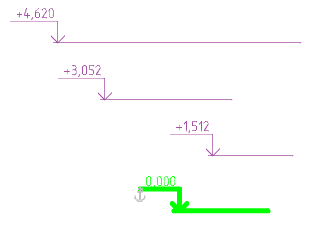
3. Select the level marks you want to align (with a box or any other method).
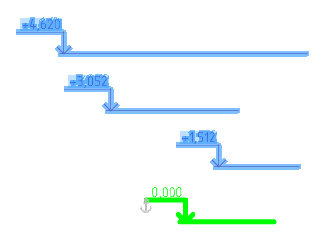
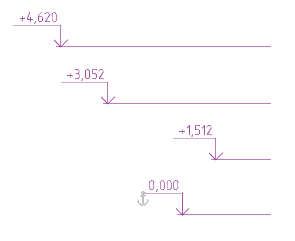
4. Press the “Enter” key or RMB to complete the selection. The level marks will be aligned to the baselines.
Feedback
Copyright © 2026 CSoft AS
—
Powered by 
Post your comment on this topic.