


Hatch contour
 Main menu: Construction – Library objects – MechWizard >
  Hatch contour.
Ribbon: Construction – MechWizard > Hatch contour.
Toolbar: MechWizard > Hatch contour.
 Command line: SPWIZSECTCONTOUR.
Important!
The command prepares the sketch for recognizing the execution type of the base object.
A hatch contour defines the shaded area of an object in the drawing.
Procedure
1. Draw a closed polyline in the sketch that matches the shape and size of the required hatch contour (in the figure, a rectangle around the sketch).
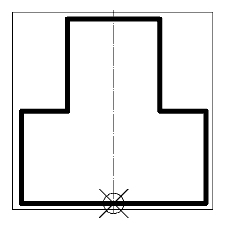
2. Call the command “Hatch contour”.
3. Select the constructed polyline. The outline will be highlighted in red in the sketch.
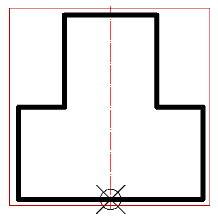
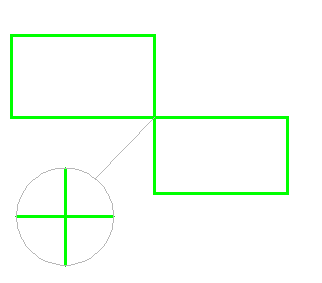
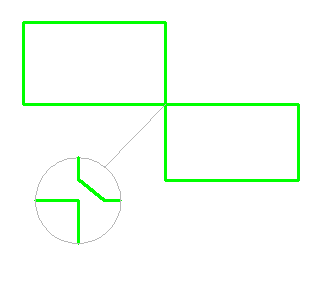
A prerequisite for the contour is the absence of self-intersections. To avoid self-intersections on a compound contour, create the contour manually, leaving a minimum “isthmus” between the areas.
Wrong Right
Feedback

Post your comment on this topic.