


3D Array
 Ribbon: Draw – Modify >
  3D Array
Menu: Modify – 3D Array
 Command line: 3DARRAY
Create copies of selected objects arranged in a rectangular or polar array.
Rectangular 3D array
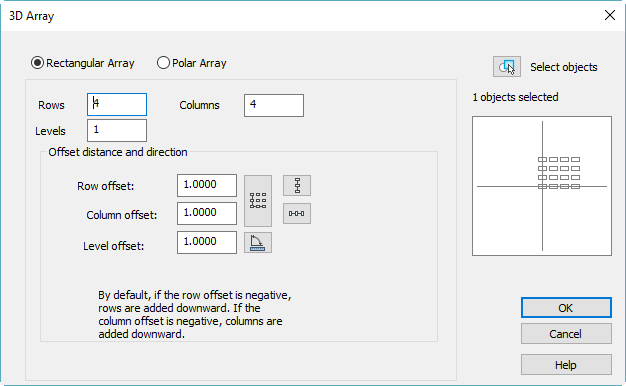
Options:
| Rectangular Array | Choose Rectangular Array mode. |
|---|---|
| Rows: | Specify number of rows. |
| Columns: | Specify number of columns. |
| Levels: | Specify number of levels. |
Offset distance and directions
| Row offset: | Specify offset distance for rows. |
|---|---|
| Column offset: | Specify offset distance for columns. |
| Level offset: | Specify offset distance for levels. |
| Measure buttons: | Measure distance on screen. |
 |
Specify rows offset. |
 |
Specify columns offset. |
 |
Specify both offsets. |
 |
Specify rotation angle. |
Polar 3D Array
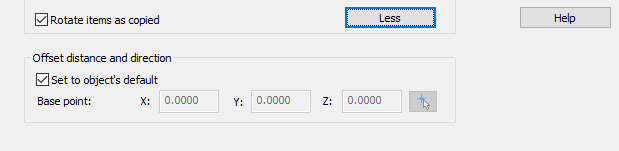
The More button shows additional options for Offset distance and direction:
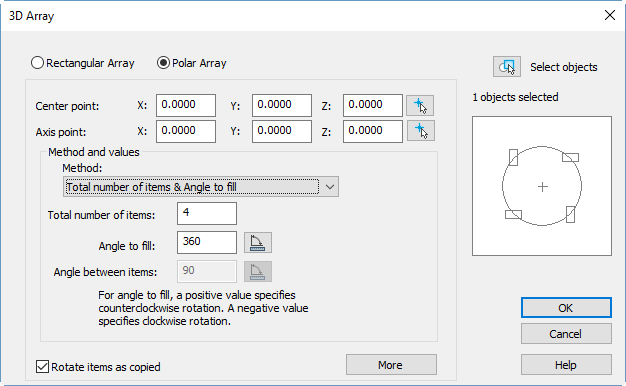
Options:
| Polar Array | Choose Polar Array mode. |
|---|---|
| Center point : X: Y: Z | Array center point X, Y and Z coordinates. |
| Axis point: X: Y: Z | Second axis point X, Y and Z coordinates. |
 |
Select point on screen. |
Method and values
| Method: | Select the method to create Polar array:
|
|---|---|
| Total number of items: | Specify the number of arrayed items, including the original. |
| Angle to fill: | Specifies the angle between the first and last item in the array. A negative number produces a clockwise array rotation. |
 |
Specify the angle on screen. |
| Angle between items: | Specifies the angle between items in the array. |
| |
Specify the angle on screen. |
| Rotate items as copied | Controls whether items are rotated as they are arrayed. |
| More/Less | Show/hide additional options. |
Feedback
Copyright © 2026 CSoft AS
—
Powered by 
Post your comment on this topic.