


Conditions rendering
Add a line in the drawing model, rendering which we will operate from the dialog during the insertion of parts (for example, they will be highlighted Magenta). Pressing the button will open a dialog box object properties and assign as a condition of their appearance in the drawing text parameter. In this case SLICE.
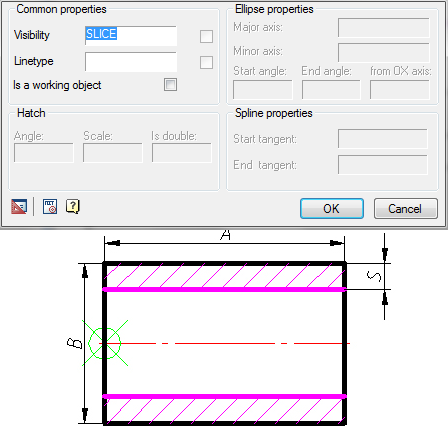
Size “S”, necessary for proper recognition, automatically appears in the parameter list, but you must enter a parameter draw.
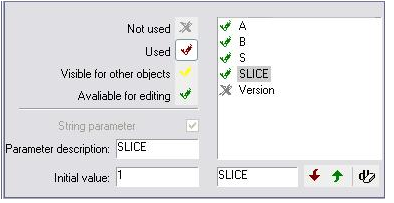
Fragment dialog box Properties settings
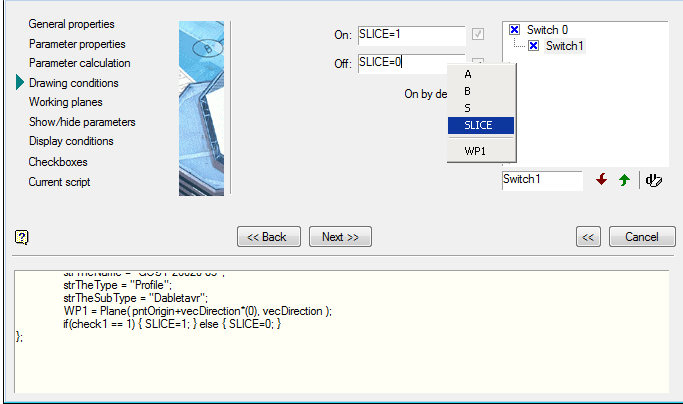
In the name field switch is set “Cut”. The parameter rendering paste from the context menu variable “SLICE”.
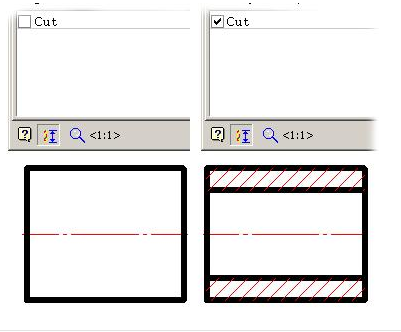
After the completion of the script retain the item and exit the editor. Of the database tree select our item and insert it into the model. In the editing dialog parts we have a switch incision through which we can control the rendering of relevant lines.
Feedback

Post your comment on this topic.