


Dialog “Overrides”
 Shortcut: ALT+RBM (when you hover over a line or shading standard element).
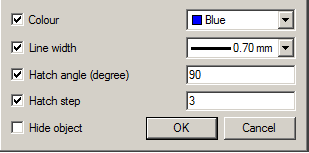
It overrides the style of the individual lines in a standard cell.
Sample call
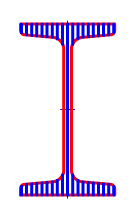
1. Insert a standard element, such as I-beams.In the properties, select the rendition of “left view” and the type of display “view with a cut”.
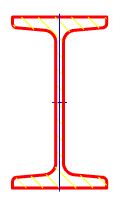
2. Do not get fooled by the hatch and press ALT+RBM. The “Overrides” dialog box.
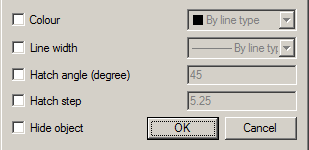
Options
Colour -changes the color of the line.
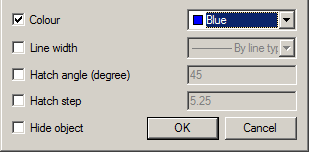
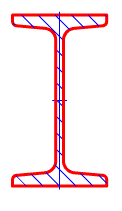
Line width – change the line width.
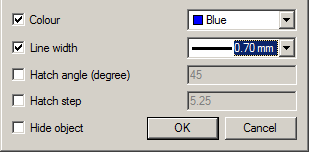
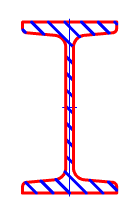
Hatch angle (degree) – controls the tilt hatch. The parameter is active only for the hatch.
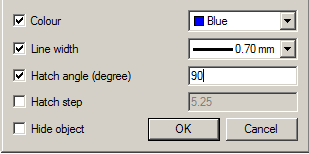
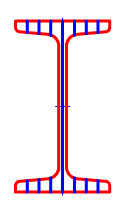
Hatch step – changes hatching step. The parameter is active only for the hatch.
Hide object – it makes an invisible line. The other parameters are ignored.
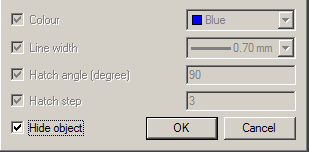
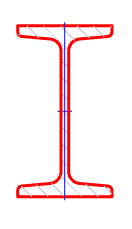
If the setting “Show invisible lines” is “Yes”, then the line will be displayed with a color according to the setting of “Color of invisible lines”.
Feedback

Post your comment on this topic.