


Equipment
 Main menu: Construction – Communications >
  Equipment.
Toolbar: Communications > Equipment.
 Command line: SPEQUIPMENT.
This command is used to insert the object “Equipment” from Template library.
Insertion
1. Call the command insertion equipment. You will be prompted to leave the last used equipment from a library of templates, or if there is no such equipment by default.
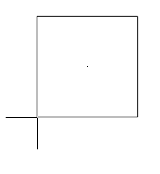
2. Select the necessary equipment if needed. To do this in the context menu, select “Dialog”. On the form template library to select the necessary equipment and confirm.
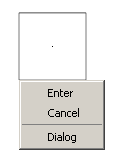
3. Select the base point and the direction of insertion.
4. Continue to insert the same type of objects equipment (item 1,2,3) or end (press Enter).
Note:
Equipment, trace and ports when inserting receive a unique number (the “Number” in the properties)
Editing
Edit location
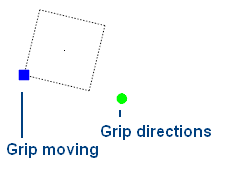
The object “Equipment” has two grips:
Grip moving- it allows you to move an object,
Grip directions- changes the direction of the object.
Editing options
Call for editing by choosing from the context menu of a selected object the command “Edit” or double-clicking on the object editing.
When you call opens the edit form, this form Template library.
The process of editing an object “Equipment” is similar to the process of editing the template “equipment”.
Save as Template
If you want to save the object “Equipment” as a template to be:
In the form of editing select “Save as Template”  .
.
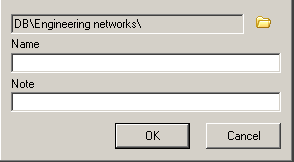
In the form of “Create element” and enter the name of the note.
Confirm entry. The equipment will be added to the Template library.
Feedback

Post your comment on this topic.