


Angle dimension
 Main menu: Dimensions >
  Fill angle.
Ribbon: Annotate – Dimensions - Angular.
Ribbon: Construction – Symbols > Angle dimension.
Toolbar: Dimensions > Angle dimension.
Toolbar: Construction Dimensions> Angle dimension.
Context menu: aNguLar – when calling any dimension.
 Command line: SPMDIMANG, MDIMANG.
Procedure
Create an angular dimension by specifying two line segments
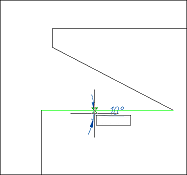
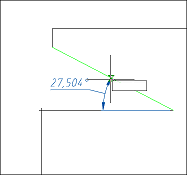
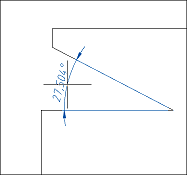
To apply an angular dimension, you must:
1. Select an angular dimension;
2. Select the first segment;
3. Select the second segment;
4. Pick an insertion point.
Angular dimension of hole centers
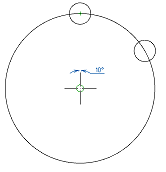
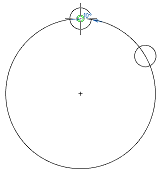
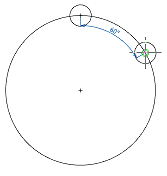
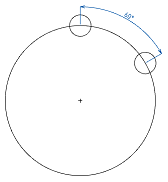
To apply the angular dimension with the indication of the centers, you must:
1. Select an angular dimension;
2. Specify the center of the axial circle (on which the holes lie);
3. Pick the center of the first hole;
4. Pick the center of the second hole;
5. Pick an insertion point.
Feedback

Post your comment on this topic.