


Convert to 2D
 nanoCAD button – Utilities >
  Converting to 2D
Menu: File – Drawing Utilities >  Convert to 2D
Document tab context menu: Utilities > Convert to 2D
 Command line: FLATTEN
Convert selected objects with nonzero coordinates to the current view plane.
NOTE: The Convert to 2D command does not support creating projections of 3D-objects. For operations with 3D objects, use functions from 3D menu.
Options:
?  Calls additional options to select the objects.
Flatten options:
Select options or [?]: Select objects to convert to 2D.
Select options or [?]: Press ENTER to finish.
Information on the process dynamics is displayed in the dialogue box:
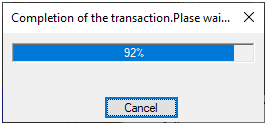
You can cancel the conversion by pressing Cancel dialogue button or Esc.
Info: NanoCAD is a simple, inexpensive, and yet powerful, CAD app for personal computer, that provides an outstanding user experience by providing enhanced performance, full capability, a classic interface and native.dwg format support. nanoCAD has been built to deliver design and project documentation for all engineering purposes. nanoCAD includes a full suite of basic and advanced CAD tools for 2D/3D drawing and creating industry-standard DWG-compatible CAD files. Our freeware provides innovative, collaborative and customizable features to enhance your efficiency, and includes several API’s, allowing anything from routine task automation to complex CAD app development. You may try nanoCad for free, using the links below, and purchase later, if you like it.
Feedback

Post your comment on this topic.