


Block Editor
 Ribbon: Home – Block >
  Block Editor
Ribbon: Insert – Block Definition > Block Editor
Menu: Tools – Edit block definition …
Panel: Main – Edit block definition …
Double-click on the block reference
 Command line: BEDIT
This command allows you to edit block definitions of a drawing – to redefine blocks.
The command opens the Edit block definition dialog box.
Select in the list the block definition to be edited. If the Zoom to block box is checked, the selected block’s insertion will be displayed on the screen.
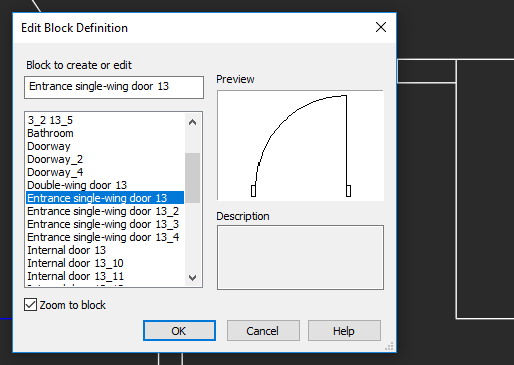
Options:
| Zoom to block | Turns on/off the mode for full screen display of the selected reference.Click OK to move to the block editor. |
Click OK to move to the block editor.
The block editor is a separate mode intended for editing a block definition.
Objects included in the selected block definition are displayed on the screen and become available for editing, and the additional Block Editor tab appears in the ribbon.
NOTE: If objects are not visible, double-click the mouse wheel to perform the Show all command.
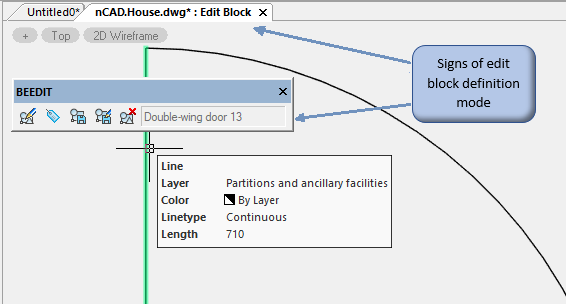
To indicate the mode of editing block definition, a word combination Edit block is added with a colon in the tab to the document name.
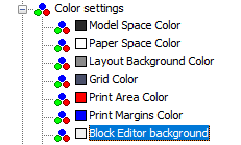
Background color changes to the color set in the Tools dialog, section Color > Block editor background..
The additional Block Editor context tab with additional tools to edit a block and the button to exit the edit mode appears in the ribbon.
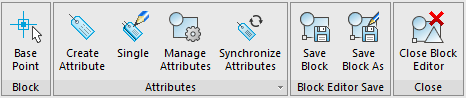
In the classic interface – the Block Editor toolbar appears:

NOTE: A number of program commands is unavailable in the block definition edit mode.
The  Base Point of the Block (BBASEPT) command specifies the position of the block definition base point. Corresponds to the grip position of the block reference insertion point.
Completion of work
The  Save block command (BSAVE) saves changes made in the block editor. Do not click if you plan to exit the block editing mode without saving changes.
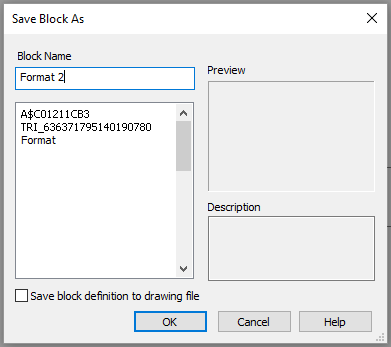
The  Save Block as command (BSAVEAS) saves a copy of the block definition being edited with a new name.
Upon the completion of editing the block, it is necessary to leave the edit mode by clicking  Close block editor dialog (BCLOSE command) on the toolbar.
When closing the block editor, a prompt whether to save changes will appear.
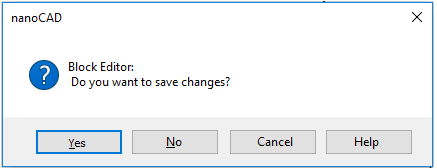
After the changes made are saved or cancelled, the Block editor toolbar is closed, and the document tab acquires a normal view. Functional of the Block editor toolbar:

Info: NanoCAD is a user friendly, cheap, and yet professional, CAD application for personal computer, that provides an outstanding user experience by providing high performance, full capability, a classic interface and native.dwg format support. nanoCAD has been built to deliver design and project documentation for all industries. nanoCAD includes a full suite of basic and advanced CAD tools for 2D/3D drafting and creating industry-standard DWG-compatible CAD files. Our freeware provides creative, collaborative and customizable features to improve your efficiency, and includes several API’s, allowing anything from routine task automation to complex CAD app development. You may try nanoCad for free, using the links below, and purchase later, if you like it.
Feedback

Post your comment on this topic.