


Sheet of decorations
 Main menu: Construction – Architecture – Schedules >
  Sheet of Decoration.
Ribbon: Construction – Architecture > Sheet of Decoration.
Toolbar: Architecture > Sheet of Decoration.
 Command line: SPTABLEROOMS.
For the preparation of list of decorations after the call of command to you need to select rooms to be included in the statement. A dialog box with the options to customize data sorting is appeared.
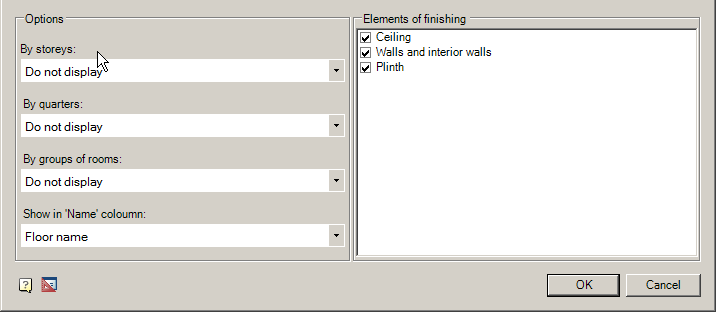
Settings for table generation and grouping:
- By storeys: Do not display \Column + union \Title
- By quarters: Do not display \Group
- By groups of rooms: Do not display \Group \Merge
- Show in Name column: Name space \ number and name space
When selecting settings on the floors: Do not print, the flats: Do not display by category spaces: Do not display – displays the source table as is.
In the dialog box, you can delete unwanted items in statement finishes.
Double-clicking on a table placed in the drawing, a dialog box opens Gazette decoration, ie at any point in the table can be edited to change the output options and grouping data.
Feedback

Post your comment on this topic.