


IFC import settings
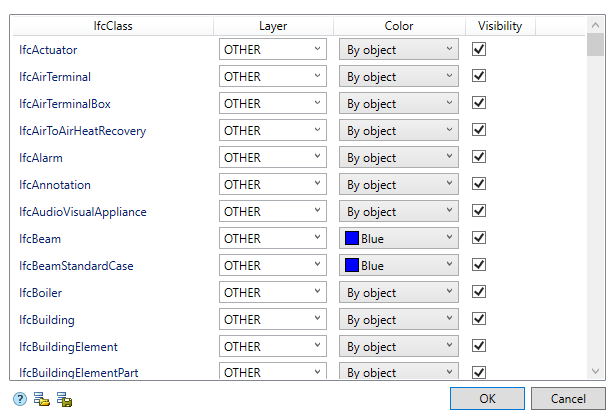
The settings dialog consists of a list and an Import/Export toolbar.
List
The list consists of a set of IFC classes. The name of the class is in the first column “IfcClass”. It is not possible to add a new class or remove it.
The “Layer”, “Color” and “Visibility” columns are configured.
Layer – the name of the layer on which the graphics of this class will be placed.
Color – the color of the graphic.
Visibility – controls the display of graphics in the drawing.
Toolbar
 Import settings – the command allows you to import settings from an XML file.
 Export settings – the command allows you to export settings to an XML file.
Feedback
Copyright © 2026 CSoft AS
—
Powered by 
Post your comment on this topic.