


Correction marker
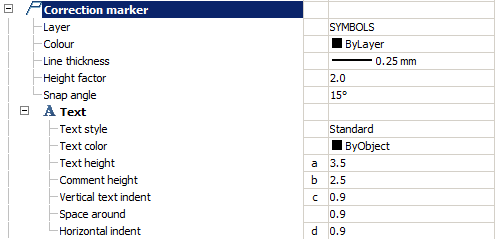
Layer
Selection of the layer on which is placed a marker changes.
By clicking on the ellipsis to open the dialog “Table layers”, where you can configure the layer.
Color
The color of the marker line changes.
Line thickness
The thickness of the marker line changes.
Height factor
Attitude a/b
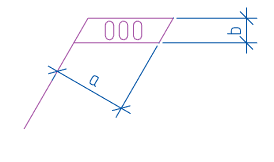
Snap angle
Step-lines to callouts.
Text
Text style
Text Style marker changes.
Text height (a)
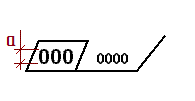
Text color
Text color marker changes.
Comment height ©
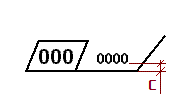
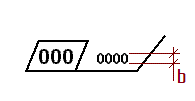
Vertical text indent (b)
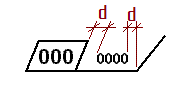
Horizontal indent (d)
Feedback
Copyright © 2026 CSoft AS
—
Powered by 
Post your comment on this topic.