
Open, edit and save your DWG drawings

Trusted by Engineering & Infrastructure Organisations
nanoCAD is used by engineering, manufacturing, infrastructure and other professional organisations



























Test nanoCAD With Your Own Workflow
Don't take our word for it. Test it with your drawings
A CAD software switch should fit your existing workflow- not force you to change it first.
With the trial, you can:
Check layers, blocks, xrefs and plotting
Test your LISP routines and automation
Work with your existing fonts and templates
Try your everyday drafting commands
Compare the output with your current CAD workflow
Why Engineering Teams Consider nanoCAD
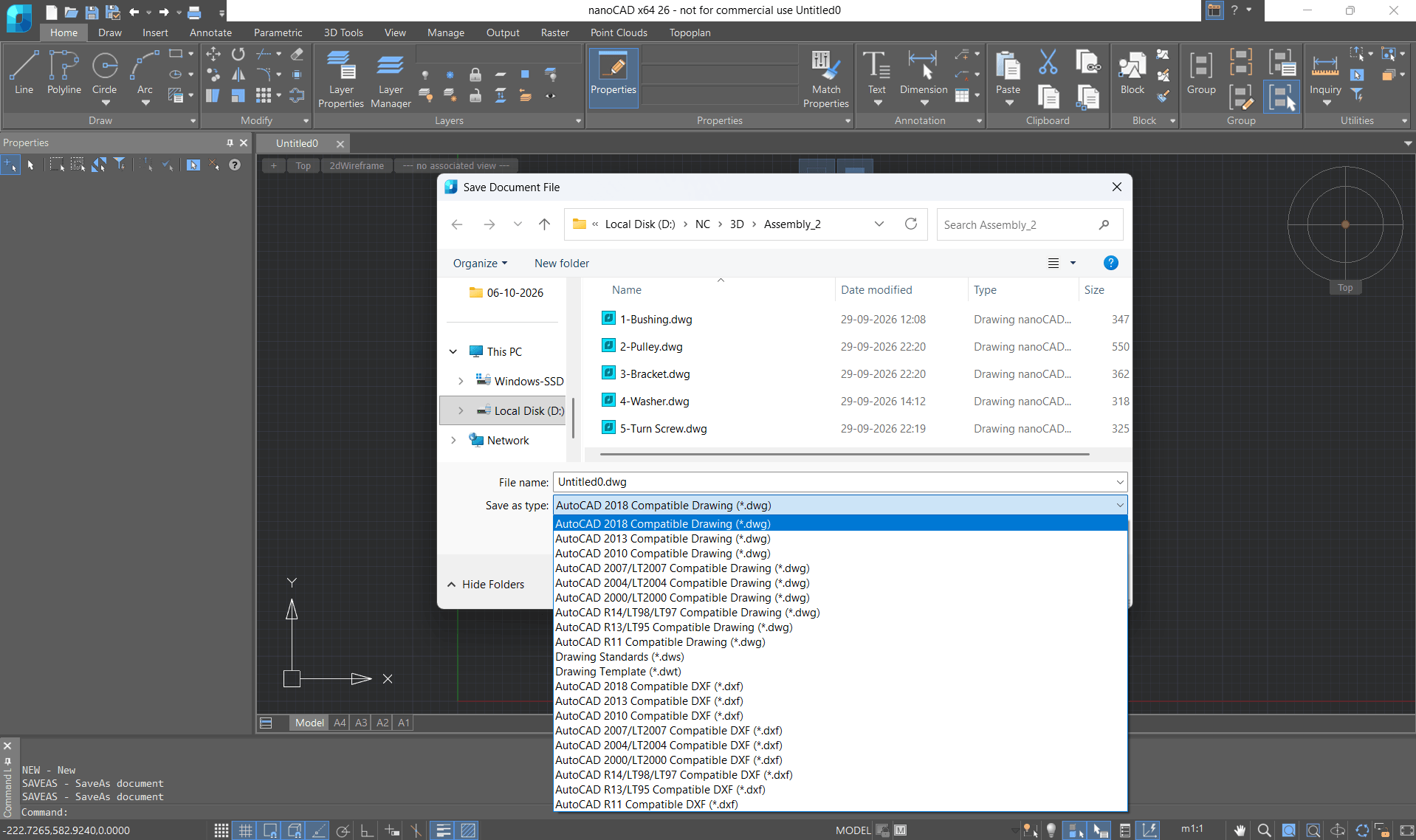
Native DWG Workflow
Open, edit and save DWG files without converting your drawings.
nanoCAD Platform supports DWG versions R11 through 2018, together with layers, blocks, xrefs, model/paper space, CTB/STB plot styles, SHX/TTF fonts, PDF import and batch plotting.
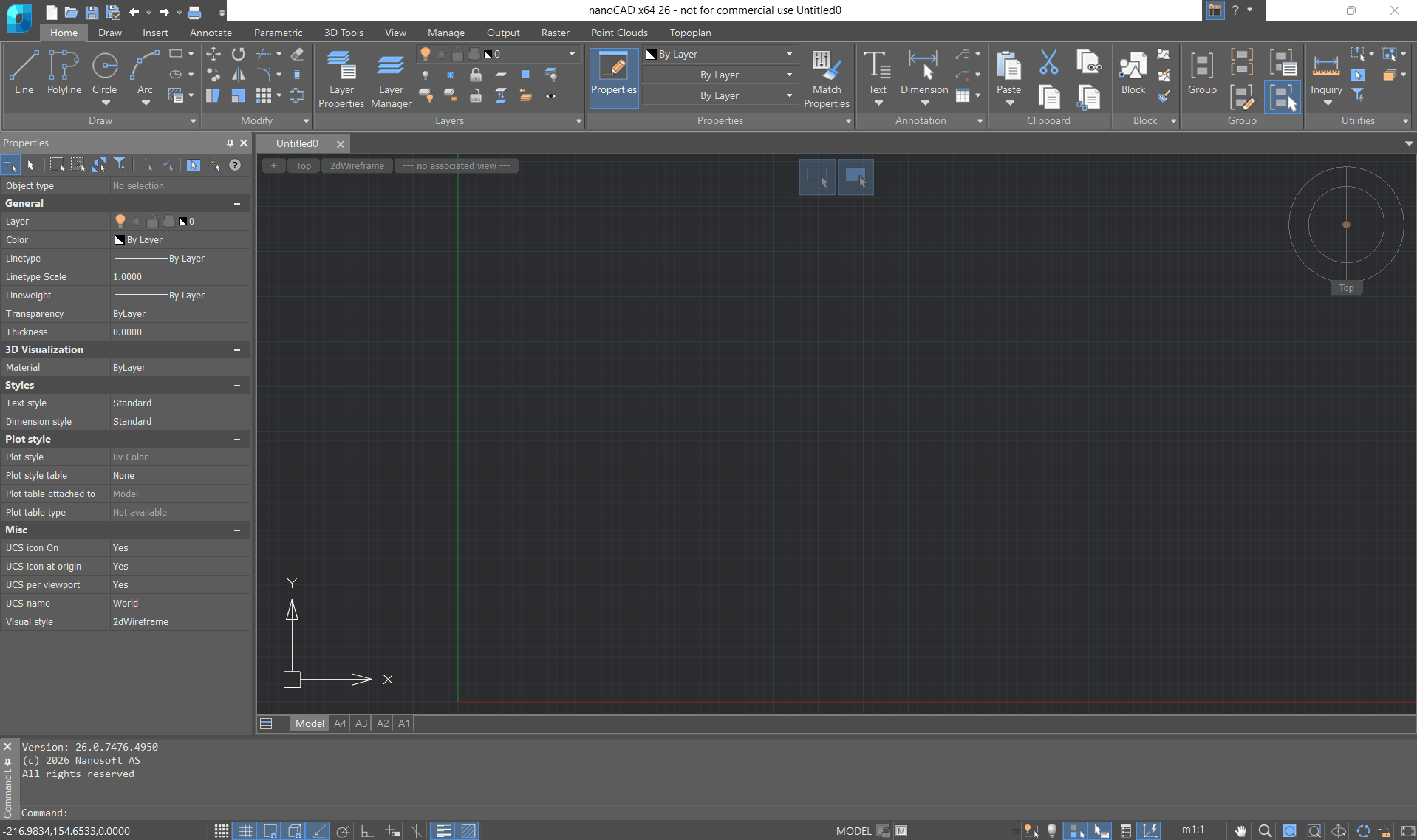
Familiar CAD Interface
Switch between ribbon and classic interfaces and customise aliases, menus, toolbars and other drafting settings.
Experienced CAD users can work in a familiar environment with minimal workflow disruption.
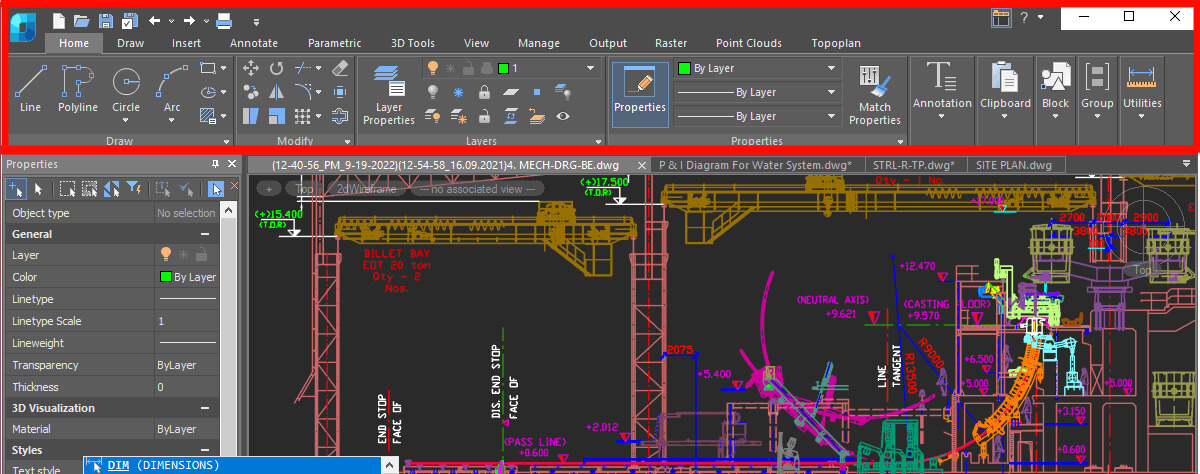
Powerful 2D Drafting Tools
Draft, edit, and document designs with precision using professional 2D CAD tools. From geometry and dimensions to layers, blocks, annotations, and layouts, nanoCAD gives you the tools for everyday engineering and technical drafting.
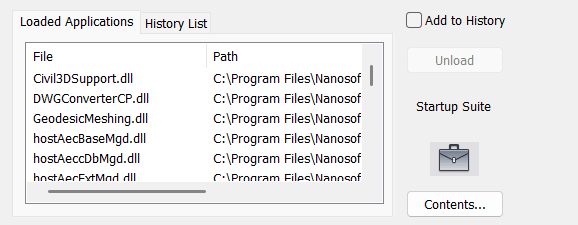
Automation & API Support
Use LISP with DCL, .NET, C++, JavaScript, VBScript and COM-based development capabilities.
nanoCAD also provides an ARX-like API to help developers adapt existing applications.
Test your critical routines during the free trial before deployment.

Flexible Licensing
Choose the licensing approach that matches your team:
- Annual subscription
- 3-year subscription with perpetual licence registration
- Workstation licence
- Network/floating licence
- Educational licence

Technical Support
Get help throughout your subscription. Access technical assistance via email and the help desk for product-related questions, setup guidance, and troubleshooting support.
5 nanoCAD Hacks That Save You Hours!
nanoCAD vs Your Current CAD Workflow
Compare the capabilities that matter to your team
| Specification | nanoCAD Platform 26 | AutoCAD 2026 |
|---|---|---|
| DWG versions supported | R11–2018 | R14–2018 |
| Operating system | Windows 8, 10, 11 | Windows 10, 11 |
| Minimum memory | 8 GB | 8 GB |
| Minimum video memory | 1 GB | 2 GB |
| Minimum disk space | 7 GB | 10 GB |
nanoCAD Platform includes
- Native DWG
- Ribbon & classic interface
- Dynamic input
- External references
- PDF & raster import
- CTB/STB plotting
- Integrated PDF printer
- Drawing audit & recovery
- Drawing comparison
- IFC import
- Point cloud import
- LISP/DCL
- NET
- C++
- JavaScript
- VBScript
- Workstation licensing
- Network licensing
- Licence borrowing
- Educational licensing
Important workflow considerations
nanoCAD is Windows-only.
Dynamic blocks can be viewed and edited but are not created.
Specialised workflows and critical custom applications should be tested during the trial.
Flexible CAD Licensing for Individuals and Teams
Choose the licence that fits your work
| Licensing option | Suitable for |
|---|---|
| 30-day free trial | Evaluating nanoCAD with your own drawings and workflows |
| Annual subscription | Project-based work or lower upfront cost |
| 3-year subscription with perpetual licence | Long-term software ownership with support and upgrades during the subscription period |
| Workstation licence | Dedicated users and individual workstations |
| Network / floating licence | Teams sharing licences across multiple users |
| Educational licence | Students and educational institutions |
Add CAD Capabilities as Your Work Grows
Start with the nanoCAD Platform and add specialised modules when your projects require them.


Built for Different Engineering Workflows




Is nanoCAD a Fit for Your Team?
- Works primarily with DWG drawings
- Needs professional 2D drafting and documentation
- Wants to evaluate a CAD alternative using existing drawings
- Needs flexible licensing for individuals or teams
- Uses LISP or other supported automation technologies
- Wants India-based sales and technical support
nanoCAD may be a practical option if your team:
Trusted by CAD users worldwide
Pricing is excellent and on top of it excellent, sales and support system
nanoCAD Platform
Easy to use, most of the feature one need from a CAD software are there
Pricing is excellent and on top of it excellent, sales and support system

Sanjiv Aggarwal, India
Area Sales & Technical Head
Business User
nanoCAD Platform + 3D Solid Modeling Module
nanoCAD has network floating license server with perfect compatibility with latest AutoCAD drawing specification
We were looking for a low-cost alternative to AutoDesk that would be easy to implement and maintain. nanoCAD solved all our business needs. Its network floating license server is perfectly compatible with the latest AutoCAD drawing specification

MS Okna i Drzwi, Poland
Chief IT Admin
Business User
nanoCAD Platform + Construction Module
nanoCAD overcomes limitations of AutoCAD LT
The biggest challenge for me was to work around the limitations of Autocad LT. With nanoCAD’s additional functionality of the Construction module, I found it easy to draw walls and create more survey plans.

Stuart Palmer, UK
SPPS, Sole trader
Business User
nanoCAD Platform + 3D Solid Modeling Module + Mechanica Module
nanoCAD's ease of use and affordable price point make it an excellent choice for me
I was seeking an AutoCAD alternative with comparable features. nanoCAD met that need perfectly, offering both ease of use and affordability

Robert Wheeler, Canada
Personal User
nanoCAD Platform
Very good software
Eexcellent technical support from nanoCAD team
Amit Mitra, India
Director, Millano IT Solutions (P) Ltd
Business user
nanoCAD Platform + 3D Solid Modeling Module
nanoCAD is affordable, emulates Autocad, and works seamlessly with DWG files
Affordability was key since I couldn't afford Autocad. nanoCAD not only fit my budget but also offered Autocad emulation and backward compatibility. It's perfect for opening, appending, and creating DWG files without the need to learn a new platform.

Steve Spiker, USA
Area Sales & Technical head
Personal User
nanoCAD Platform + 3D Solid Modeling Module + Mechanica Module
With nanoCAD I am able to open all CAD formats
I was working as a ship building inspector and needed some alternative to AutoCAD. nanoCAD has proved to be a great support for my projects, and it works pretty well for my current tasks. I’m able to open all CAD formats, and the platform;s performance is stable

Willum Andersen, Iceland
VSV, Technical Operations Manager
Business user
nanoCAD Platform + Construction Module
nanoCAD does everything I need
nanoCAD was the answer to my need for a good, low-cost tool. It does everything I need with excellent usability

Elias Jakubowski, Brazil
Personal User
Platform + 3D Module + Mechanica + Construction + Raster + Topoplan
I look forward to using nanoCAD for years to come
I was looking for a cost effective version of a CAD solution and found nanoCAD. I started with a free version, and it worked so well that I decided to upgrade it to the latest functionality. It works well for the drawings I do everyday and for opening files sent to me. I love the interface that is so familiar to me, as well the overall ease of use.
Dennis, USA
The Steel Yard, Inc Fabrication
Business user
nanoCAD Platform
nanoCAD has been a game-changer with its AutoCAD-like layout and PDF import feature
As a long-time professional AutoCAD user, I find nanoCAD's familiar layout and functionality ideal for my personal use, like importing PDFs for route mapping. Its affordability is an added bonus.

Eric Flossie, Belgium
Personal User
Frequently Asked Questions
Is nanoCAD a good AutoCAD alternative in India?
nanoCAD is a DWG-based CAD platform for professional drafting, design and documentation. It offers native DWG support, a familiar CAD interface, 2D/3D capabilities, automation support and flexible licensing options. The 30-day trial allows teams to evaluate their own workflows before purchasing.
Can nanoCAD open and save AutoCAD DWG files?
Yes. nanoCAD works natively with DWG files and supports DWG versions from R11 through 2018, allowing users to open, edit and save supported DWG drawings without conversion.
Is nanoCAD easy for existing CAD users to learn?
nanoCAD provides ribbon and classic interfaces, command autocompletion, dynamic input and customisable aliases, menus and toolbars. Users should test their specific workflow during the trial.
Does nanoCAD support 3D modelling?
Yes. The 3D Solid Modeling module provides parametric and direct modelling, 3D constraints, assemblies and sheet-metal capabilities. The platform also supports IFC and point-cloud import.
Will my LISP routines work in nanoCAD?
nanoCAD supports LISP with DCL dialogs as well as .NET, C++, JavaScript and VBScript APIs. Many routines may work, but critical routines should be tested during the free trial before deployment.
What are nanoCAD's system requirements?
nanoCAD Platform 26 requires Windows and has minimum requirements of 4 GB RAM, 1 GB video memory and 7 GB disk space.
Can teams share nanoCAD licences?
Yes. Network/floating licences allow licences to be shared across multiple users, and licence borrowing is supported.
Is there a free trial?
Yes. nanoCAD offers a 30-day free trial, allowing you to evaluate the software with your own drawings and workflows before purchasing.
What support is available in India?
CSoft Marketing Pvt. Ltd. provides India-based sales and technical support, including assistance with licensing and installation.
Toll-free: 1800 570 9898, Email:sales@nanocad.in
What should I test before switching?
Test your most important DWG drawings, plotting requirements, LISP routines, templates, fonts, blocks, xrefs and other specialised workflows during the trial.
Does nanoCAD offer a perpetual licence?
Yes. The 3-year subscription includes perpetual licence registration, with technical support and upgrades provided during the subscription period.
How much does nanoCAD cost in India?
Pricing depends on the licence type, number of users and required modules. Options include annual subscription, a 3-year subscription with perpetual licence registration, workstation and network licensing. Contact the India team for a quotation based on your requirements.

Ready to Test nanoCAD With Your Own Drawings?
Evaluate your DWG workflow before you decide.
Download the 30-day free trial, test your real drawings and workflows, or speak with our India team about licensing for your users.
Start 30-day free trial Get a custom quoteAbout nanoCAD in India
nanoCAD is developed by Nanosoft AS, Norway, and officially sold and supported in India by CSoft Marketing Pvt. Ltd.
CSoft Marketing provides nanoCAD sales, licensing assistance, technical support and marketing services for customers in India.

 Nanosoft AS
Norway


CSoft Marketing Pvt. Ltd.
India